Adding a IIIF Viewer to an Astro Site
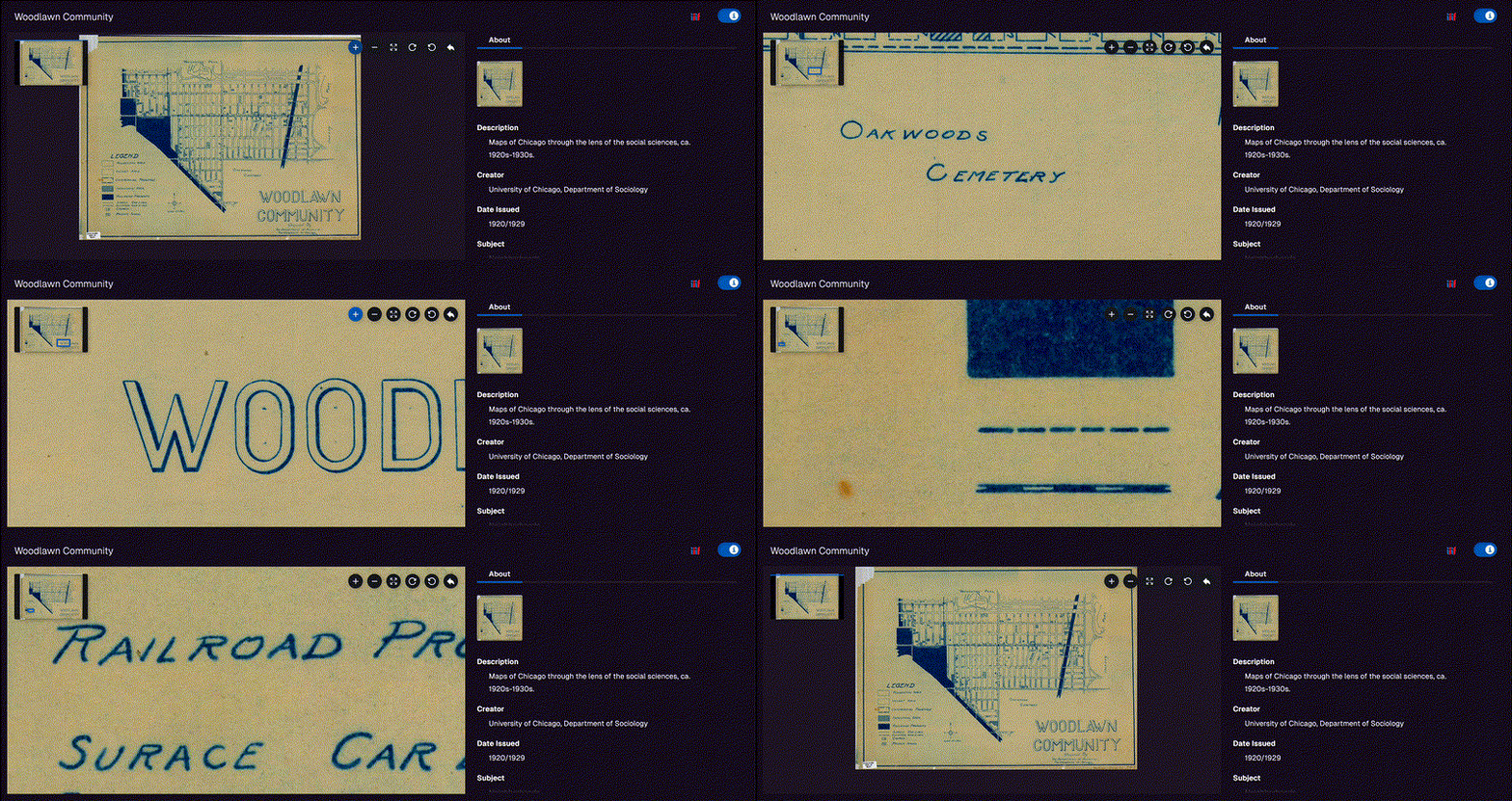
I wanted to embed a IIIF viewer directly in a work post on this site. The viewer I chose is Clover IIIF, a React component built by Samvera. The site runs on Astro, so there were a few steps to get everything working.
Enabling MDX
My work posts were plain .md files. Clover is a React component, and Astro only allows component imports inside .mdx files, so the first thing I did was rename the post from .md to .mdx and install the MDX integration:
npx astro add mdxThis updates astro.config.mjs automatically. However, my content collection glob pattern only matched .md files:
// src/content.config.ts
loader: glob({ pattern: "**/*.md", base: "./src/content/work" })
The renamed file never appeared on the site until I fixed the pattern:
loader: glob({ pattern: "**/*.{md,mdx}", base: "./src/content/work" })Adding React
Clover is a React component, so I also needed the React integration:
npx astro add reactThis installs @astrojs/react and adds it to astro.config.mjs. It also creates a tsconfig.json with JSX settings.
Creating the Component
I installed Clover:
npm install @samvera/clover-iiifThen created src/components/CloverViewer.jsx. My first attempt was a straightforward wrapper:
import Viewer from "@samvera/clover-iiif/viewer";

export default function CloverViewer({ iiifContent, ...props }) {
  return <Viewer iiifContent={iiifContent} {...props} />;
}
This immediately threw:
ReferenceError: document is not definedThe error comes from OpenSeadragon, a Clover dependency that accesses document at module load time. Even with client:only="react" in the MDX, Astro still imports the module on the server during the build. The fix is a dynamic import so OpenSeadragon never loads server-side:
import { lazy, Suspense } from "react";

const Viewer = lazy(() => import("@samvera/clover-iiif/viewer"));

export default function CloverViewer({ iiifContent, ...props }) {
  return (
    <Suspense fallback={null}>
      <Viewer iiifContent={iiifContent} {...props} />
    </Suspense>
  );
}
Using It in MDX
In the post, I import the component and pass it a IIIF manifest URL. The client:only="react" directive tells Astro to skip server-side rendering entirely:
import CloverViewer from '../../components/CloverViewer.jsx';

<div class="full-bleed">
  <CloverViewer client:only="react" iiifContent="https://example.com/manifest.json" />
</div>
Full-Bleed Layout
The site’s main content area is constrained to max-w-2xl (~672px). To let content break out to full viewport width on larger screens, I added two utility classes to global.css — one for the viewer with a fixed height, and one for images that scale naturally:
.full-bleed {
  height: 600px;
  margin: 2rem 0;
}

.full-bleed-img {
  margin: 2rem 0;
}

.full-bleed-img img {
  width: 100%;
  display: block;
}

@media (min-width: 672px) {
  .full-bleed {
    margin: 2rem calc(-50vw + 336px);
  }

  .full-bleed-img {
    margin: 2rem calc(-50vw + 336px);
  }
}
The calc(-50vw + 336px) inverts the centering offset of max-w-2xl. On screens narrower than 672px both classes fall back to normal margins. Images stay at their natural size by default — full-bleed-img is opt-in only when you want the immersive treatment.